
It's 10:47 AM. Your consultant has a perfect candidate for Client A's senior developer role.
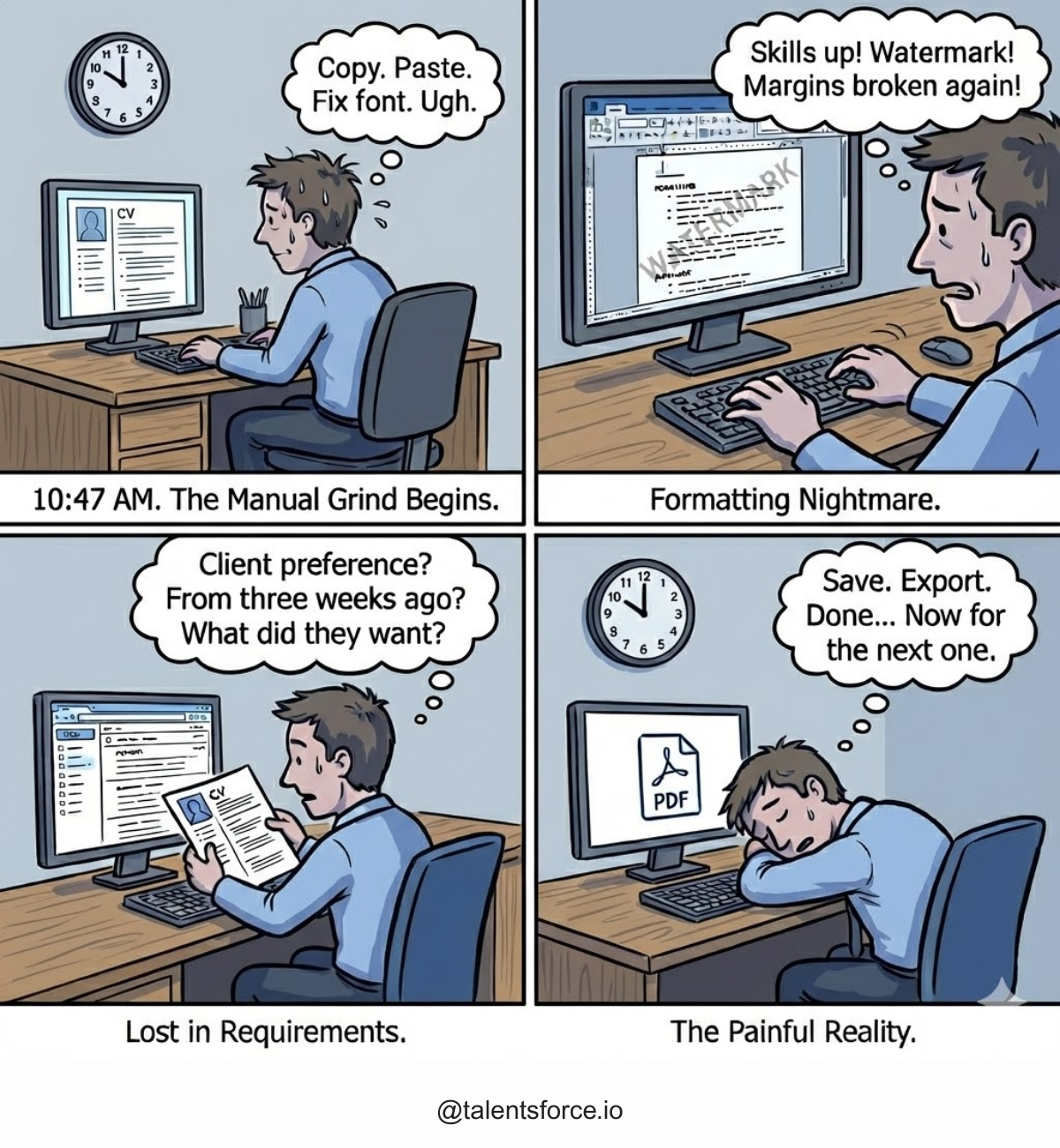
The CV is open in one window, a blank Word template in another.
Copy the name. Paste. Adjust the font. Copy work history. Paste. Fix the formatting that broke.
Client A wants skills at the top so move that section up. Add the company watermark. Check the margins.
Realize the education section is formatted differently from the rest. Fix it. Double-check the client's preference email from three weeks ago. Make final adjustments. Save. Export to PDF.
18 minutes later, the profile is ready to send.
That may be the effort your team's member takes to send a perfect profile to clients.
Now multiply that by every candidate, every client, every week.
Profile templates and the time calculation everyone knows but does not measure
Manual CV formatting takes around 18 minutes per candidate. For an agency handling 80 candidate submissions monthly, that's a whole day spent on formatting alone. Not screening. Not sourcing. Not building client relationships. Just reformatting information that already exists into different layouts.
For most teams, this time disappears into “just formatting,” even though it is really manual CV template work that adds up across the whole agency.
The false choice recruitment agencies accept about CV templates
Most recruitment agencies operate under the assumption that you either use rigid templates that don't fit the client's needs or you build each profile from scratch to meet specific requirements.
Neither works at scale.
Why generic CV templates and fully manual profiles both fail
Generic templates fail because Client A wants skills highlighted first, Client B needs chronological employment history upfront, and Client C requires certifications. One-size-fits-all creates profiles that don't match client expectations.
Building from scratch works for one or two submissions. But when you're managing 15-25 active clients, each with different formatting preferences, manual customization becomes unsustainable.
 TalentsForce
TalentsForce Profile Templates remove manual work for consultants
You set up a template once with your preferred structure, then apply it instantly to any candidate profile. The template handles consistent elements automatically while giving you control over what to include for each submission.
Here's what makes templates different from manual formatting:
Flexible profile templates structure
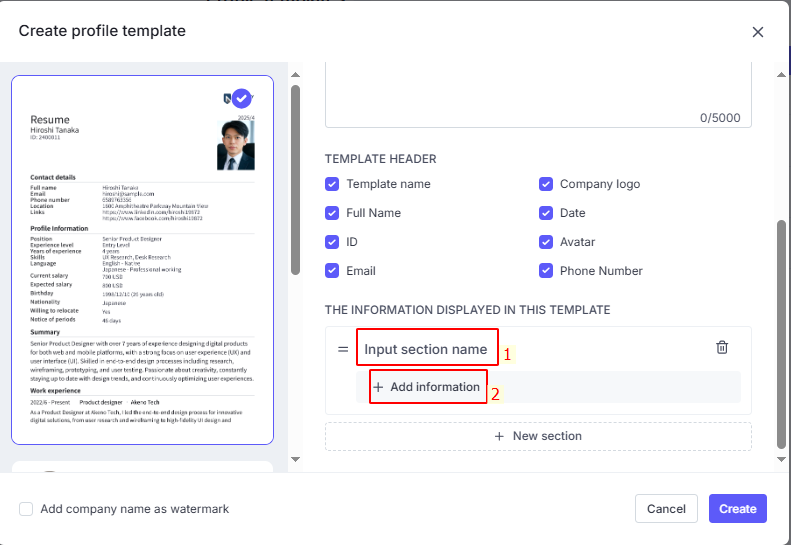
Select from existing sections (Work Experience, Education, Skills, Certifications) or create custom sections specific to client requirements.
Client needs a "Technical Competencies" section separate from general skills? Add it once to the template, use it repeatedly.
Selective information display for each profile
Choose exactly which fields appear in each section. Not every client needs to see every data point. Templates let you show what matters for each submission without rebuilding the entire profile.
Profile templates for client-specific configurations
Create multiple templates for different client preferences. Client A template emphasizes skills and certifications. Client B template leads with employment chronology. Client C template includes custom sections for industry-specific qualifications. Store them all, apply the right one with one click.
Professional branding on every candidate profile
Add your agency name as a watermark to reinforce your brand on every submission. Enable or disable with a checkbox with no manual watermark insertion required.

Candidate guidance integration that improves data quality
Include guidelines that help provide the employee how to prepare their resume the best to win recruitment opportunities as soon as possible.

What recruitment agencies get back from profile templates
Profile Templates return time to revenue-generating activities. The time your team saves goes back to candidate screening, client relationship building, and actual placements.
But the bigger return is consistency. Every profile your agency submits looks intentional and professional. Every client receives candidates in their preferred format. Every submission reinforces that your agency understands their requirements and delivers accordingly.
That's what separates agencies that scale from agencies that stay stuck in manual formatting cycles.
Your consultants found the perfect candidate. They shouldn't spend 18 minutes proving it.
Profile templates FAQs for recruitment agencies
What is a candidate profile template in recruitment?
A candidate profile template is a structured layout that pulls existing CV or candidate data into a consistent format. It lets recruitment agencies present candidates in a way that matches each client’s expectations without redoing manual formatting each time.
How do profile templates save time for recruitment agencies?
Profile templates save time by standardizing the structure, sections, and branding for every submission. Consultants stop copying and pasting into new CV templates and instead apply the right template in one click, so they can spend more time on sourcing, screening, and closing roles.
What is the difference between a CV template and a profile template?
A CV template is usually a generic document that candidates use once when they build their resume. A profile template is used by agencies to turn existing candidate data into a tailored, client-specific profile. It focuses on how the client wants to see information, not just how the candidate wrote their CV.
How does TalentsForce support profile templates for agencies?
TalentsForce lets agencies create multiple profile templates with flexible sections, client-specific configurations, and agency branding. Consultants can apply these templates to any candidate profile in seconds, instead of rebuilding or editing every CV manually.


